Innovative digital solutions, robust networking, and custom software development.
Strategic digital transformation and automation for modern businesses.
Enterprise-grade infrastructure, ISP management, and security solutions.
Custom web applications, POS systems, and specialized business logic.
Premium cables, routers, and networking accessories — directly sourced and tested by our engineers.
Starlink installation and purchasing,
Key Features & SpecificationsProcessor & Memory: 600 MHz CPU and 128 MB RAM.Wireless: Built-in high-power 2.4 GHz 802.11b/g/n.Ethernet Ports: 5 ports (10/100 Mbps on the UI model; 10/100/1000 Gigabit on the G model).USB: 1x USB 2.0 port for 3G/4G modems or external storage.PoE Capabilities: Passive PoE input on Port 1, and passive PoE output on Port 5 (UI model only)
305M in length
Built for the most demanding network environments.
Effortlessly generate invoices and process payments integrated with local mobile money for automated revenue collection.
Control user sessions and bandwidth limits with precision.
Design flexible service tiers to meet every customer's needs.
Gain deep insights into traffic patterns, revenue, and customer trends with high-fidelity visualization.
Real-time notifications for outages, payments, and system health to keep your operations running smoothly.
Real-world impact across our three core pillars.
Deep dives into network architecture, software solutions, and industry trends.
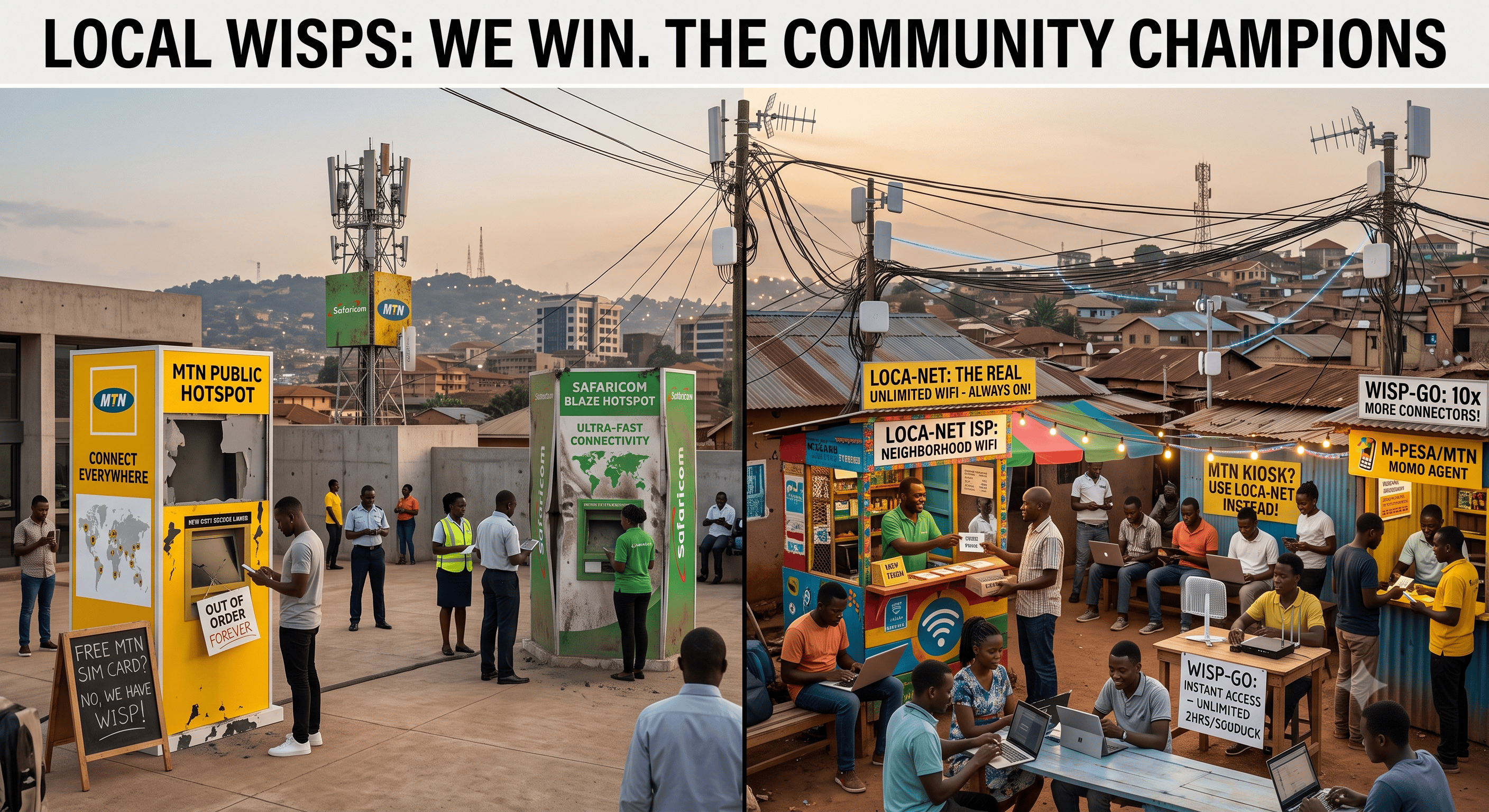
Why Your Neighborhood Wi-Fi Guy Is Beating Safaricom and MTN at Their Own Game Walk through almost any estate, market, or trading center in Kenya or Uganda and you'll find a small router mounted on a rooftop, a hand-painted sign advertising "Wi-Fi 500/= per day," and a shopkeeper who'll top up your voucher on the spot. Meanwhile, Safaricom's BLive/BLAZE public Wi-Fi and MTN's public hotspot sit quietly in malls and airports, rarely mentioned, rarely used compared to the volume these grassroots networks pull in. This isn't an accident, and it isn't because the big telcos lack the money or technology to do better. It comes down to incentives, economics, and geography four things in particular. 1. Big Telcos Are Protecting a Bigger Business Safaricom and MTN make the bulk of their high-margin revenue from cellular data bundles. That creates a built-in conflict of interest with public Wi-Fi: If they offered dirt-cheap, genuinely unlimited hotspot access everywhere, people would simply stop buying daily data bundles. To avoid cannibalizing that core revenue, telco hotspot products tend to be capped, throttled, or priced in a way that doesn't seriously undercut mobile data. Independent ISPs and street-level Wi-Fi vendors have no cellular network to protect. Selling bandwidth is the entire business, so they're free to price as aggressively as the market will bear which turns out to be very aggressive indeed. 2. The Wholesale Bandwidth Arbitrage Model Local operators run on a simple, repeatable loop: Buy wholesale bulk. They lease a fixed fiber connection say 50–200 Mbps at business rates from a backhaul or wholesale carrier. Oversubscribe the neighborhood. Cheap hardware (MikroTik routers, directional outdoor access points) blasts that connection across an estate, market, or boda stage. Sell micro-vouchers. Access goes for KES 10–20 or UGX 500–1,000 for a few hours of high-cap or unlimited use. Because internet usage is bursty not everyone is streaming HD video at the same second the operator can comfortably oversubscribe the line to 100+ concurrent users. That keeps prices low for customers while still generating a healthy margin for the operator. It's the same logic airlines use when overbooking seats, just applied to bandwidth. Compare that to street vendors selling hourly access for $0.19–$0.31, against budget ISPs charging $9–$12 a month for entry-level plans a pricing structure built around what a cost-sensitive customer can actually spend right now, not around a monthly subscription commitment. 3. Placement: Corporate Coverage vs. Targeted Proximity Where the access point sits determines who actually uses it. Telco Hotspots (Safaricom / MTN) Local Neighborhood ISPs Typical locations Malls, airports, city centers, official shops, university centers Residential estates, informal settlements, local shops, markets, boda stages Hardware High-end corporate APs, tighter range limits Long-range outdoor APs on rooftops, masts, utility poles Sign-in Splash pages, OTPs, app logins, SIM-based checks Instant M-Pesa/MoMo STK push, or a paper voucher bought from the shop next door Telco hotspots go where people are passing through. Local ISPs go where people are staying put home, work, the corner shop, the place they spend hours every day. That single difference in deployment philosophy explains a huge share of the usage gap. 4. Trust and a Grassroots Reseller Ecosystem Local ISPs function less like companies and more like community franchises: They partner with corner shops, cyber cafés, barber shops, and local youth to resell vouchers for a small commission distribution that's dense, personal, and everywhere. When something breaks, customers message a WhatsApp group or call "the guy" who physically climbs up and fixes the AP not a corporate call center queue with hold music and a ticket number. Pricing is often flexible in practice: a known customer can get credit, a discount, or a personal favor. A faceless telco billing system can't do that. That relationship layer builds a kind of trust and stickiness that no splash-page login screen can replicate. The Twist: Telcos Are Starting to Notice This gap hasn't gone unnoticed. Safaricom has reportedly been developing a tokenized, pay-as-you-go home internet and public Wi-Fi product, with tokens priced as low as KES 15–100, aimed directly at undercutting the informal vendors and budget ISPs (Poa!, Mawingu, Vilcom, and others) that currently dominate low-income areas. It's a tacit admission that the micro-pricing, hyper-local model works and that beating it requires playing by the same rules the local guys already wrote. Whether a company the size of Safaricom can actually replicate the "your neighbor fixes your router" trust factor at scale is the real open question. Infrastructure and pricing can be copied; a personal relationship with the shopkeeper down the road is much harder to manufacture from a head office. Bottom Line Big telcos built public Wi-Fi as a branding perk or a way to soak up excess bundle allowance for people on the move. Local ISPs and street vendors built it as their entire livelihood a high-volume, low-margin utility engineered specifically for cost-sensitive customers in high-density areas, sold by people the customer already knows and trusts. Until the telcos are willing to compete on price, placement, and relationship all at once, the neighborhood Wi-Fi guy is going to keep winning.
Starlink's Growing Pains in Kenya - and Why the Whole Region Feels Them Starlink arrived in Kenya in July 2023 promising something East Africa had never really had: fast internet beamed straight from orbit, no trenches, no fibre, no waiting on a telecom to finally reach your village. Three years on, that promise is running into a very earthly problem Starlink is a victim of its own popularity, and the ripple effects are reaching well beyond Kenya's borders. From launch darling to capacity crunch Kenya's numbers tell the story of a service that grew almost too fast for its own infrastructure. Subscriber counts more than tripled in about nine months, climbing from roughly 8,000 users in mid-2024 to nearly 25,000 by March 2026, according to Communications Authority of Kenya data. Aggressive price cuts helped: the dish that once cost around KES 89,000 (about $689) now sells for KES 49,900 (about $386), with rental options as low as KES 1,950 a month. That growth has a ceiling, though. Unlike fibre, where you can simply dig another trench and lay more cable, a satellite network's capacity in any given region is fixed by how many satellites are overhead and how much bandwidth they're allocated there. By early July 2026, Starlink had exhausted that allocation in seven of Kenya's busiest counties Nairobi, Kiambu, Mombasa, Machakos, Murang'a, Kirinyaga, and Kwale and simply stopped taking new customers there, redirecting hopefuls to a waitlist with a deposit and no promised date. Existing subscribers keep their service; new ones are out of luck until Starlink adds capacity it hasn't given a timeline for. The strain shows up in speed tests too. Ookla measured average Starlink speeds in Kenya at 34.55 Mbps in March 2026 down 26 percent from 47 Mbps a year earlier, and an all-time low for the service in the country. That decline has narrowed Starlink's edge over local ISPs from a wide gap to just over twice their average speed, giving competitors like Safaricom and smaller players such as Vilcom Networks and Ahadi Wireless room to win customers back. Compliance troubles on top of congestion Capacity isn't Starlink's only headache in Kenya. In line with local telecom rules first announced in February 2026, the company gave its roughly 22,000 subscribers until the end of April to complete in-person identity verification at authorized retailers. Those who missed the deadline started receiving suspension notices, cutting them off until they submit and verify the required information a reminder that regulatory compliance can knock users offline just as easily as a technical fault. And it isn't only regulation or crowding. In mid-July 2026, users began reporting a more old-fashioned kind of outage: specific destinations including major content networks going dark for days while the rest of the connection performed normally. Network diagnostics pointed to instability somewhere in the transit path leaving Kenya's gateway, with traffic taking inconsistent routes through Johannesburg or Marseille and picking up heavy packet loss along the way. It's a useful illustration of how even a "space-based" internet service still depends on very terrestrial ground stations, transit providers, and internet exchange points once the signal comes down from orbit. How this spills across borders Kenya doesn't sit in isolation. It has been Starlink's proving ground for East Africa, and the region's patchwork of national policies means Kenya's fortunes good or bad are entangled with its neighbors' in a few concrete ways. Uganda's ban was tangled up with Kenyan terminals. Starlink was never officially licensed to sell in Uganda, but that didn't stop the service from showing up there anyway: terminals bought and activated in Kenya and other licensed markets were carried across the border and used illegally inside Uganda. When the Uganda Communications Commission cracked down on unlicensed satellite service, Starlink disabled its network across the entire country on January 1, 2026, cutting off every terminal legitimately imported or not. So a Kenyan subscriber's hardware could end up part of a dispute in a country where Starlink had no formal presence at all. Tanzania is watching and waiting. As of mid-2026, Tanzania remains the one country in the region without a Starlink license, with negotiations reportedly stuck on a handful of unresolved issues. Uganda's decision to grant Starlink a license after President Museveni's government secured commitments on security and revenue oversight has put pressure on Tanzania to reach its own agreement, with Kenya's earlier, faster embrace of the service often cited as the regional benchmark other governments are measuring themselves against. Shared ground infrastructure means shared risk. Because Starlink's East African traffic often routes through hubs in Nairobi and Johannesburg, congestion or instability at the Kenyan gateway doesn't necessarily stay confined to Kenyan users it can affect the latency and reliability of connections for anyone whose traffic happens to transit through the same infrastructure, a quiet reminder that "satellite internet" still leans heavily on regional ground networks. Competitive pressure travels too. Kenya's capacity freeze and slowing speeds have already let local ISPs claw back market share domestically. Regional telecom operators some of whom were reportedly uneasy about Starlink's expansion in the first place are watching Kenya's experience closely as a signal of how much runway satellite internet really has in markets where legacy providers are trying to hold their ground. The bigger picture None of this makes Starlink a bust in East Africa a sub-1-percent share of Kenya's fixed broadband market is still growing, and the company has genuinely reached farms, tourist lodges, and rural schools that fibre never will. But Kenya's rocky 2026 is a useful case study in the limits of low-earth-orbit broadband: satellites can't be laid like cable, ground stations can still fail, and governments still get a vote. As Uganda, Tanzania, and others chart their own paths on licensing and regulation, Kenya's experience both its early success and its current growing pains is shaping how the rest of the region thinks about satellite internet's promise, and its limits.
How We Set Up PPPoE for a Client: A Luxenetworks Walkthrough At Luxenetworks, we get a lot of calls that start the same way: "My internet was working fine, then the ISP switched us to a new connection type, and now nothing works." More often than not, the culprit is PPPoE (Point-to-Point Protocol over Ethernet). Last week, we handled exactly this kind of job at a 50-unit apartment complex whose ISP had just migrated the property onto a PPPoE-based connection. Here's how we approached it, the equipment we used, and the steps we took, in case it helps you understand what a proper PPPoE setup actually involves at scale. First, What Is PPPoE and Why Does It Matter? PPPoE is a networking protocol that many ISPs, especially DSL and fibre providers, use to authenticate and manage customer connections. Instead of your router just grabbing an IP address automatically (like with DHCP), PPPoE requires your router to "dial in" using a username and password supplied by the ISP, much like old-school dial-up internet, just running over Ethernet instead of a phone line. The upside for ISPs is better control over billing, session management, and security. The downside for customers is that if it's not configured correctly, the connection simply won't come up: no internet, no clear error message, just a blinking light and a frustrated household. The Property and the Situation This job was for a 50-unit apartment complex. The building had just been switched over to a new connection by their ISP, and the property manager reached out after residents across multiple units started reporting the same issue: Wi-Fi showing as connected, but no actual internet access. With that many units relying on one shared connection point, even a small misconfiguration at the network core cascades into a building-wide outage, so we prioritized the visit. They called us with three symptoms: The core router showed a physical link to the ISP's line but no internet access The ISP-provided PPPoE username and password weren't being accepted Wi-Fi devices connecting through the access points on different floors could see the local network but had no external connectivity This is a textbook PPPoE misconfiguration, so we scheduled a visit. The Equipment We Used For a property of this size, we relied on a compact but capable equipment stack: MikroTik RB951: our core router, chosen for its RouterOS flexibility, reliable PPPoE handling, and the ability to manage NAT and firewall rules for the whole building from a single point Managed switch: sitting between the RB951 and the rest of the building, distributing wired connections out to each access point Tenda F6 wireless routers (x2): repurposed as dedicated Wi-Fi access points to extend coverage across the property, rather than acting as independent routers ISP-provided line: the incoming connection requiring PPPoE authentication Cat5e/Cat6 patch cabling: connecting the ISP termination point, RB951, switch, and each Tenda F6 in the chain This combination gave us a single, centrally managed PPPoE session at the RB951, with the switch and Tenda F6s doing what they do best: distributing that connection cleanly across a larger property without introducing conflicting routers or duplicate DHCP servers. Step 1: Confirming the Physical Layer First Before touching any settings, we always rule out physical and cabling issues. With this setup, the chain ran: ISP line in, then the RB951 WAN port, then the managed switch, then the Tenda F6 access points on different floors, then resident devices. We checked that: The ISP's incoming line was active and delivering a stable signal The cable running from the ISP termination point to the RB951's WAN port was properly seated and undamaged The RB951's WAN port link light was active The cable from the RB951's LAN port into the managed switch was solid, and the switch itself was passing traffic (link lights active on every relevant port) The cabling running from the switch out to each Tenda F6 access point was intact It's tempting to jump straight into software configuration, but a good chunk of "PPPoE won't connect" calls turn out to be a loose cable, a faulty switch port, or a bad patch lead, and in a multi-floor property, tracing that down first saves a lot of guesswork later. In this case, the physical layer was clean end to end, so we moved on. Step 2: Gathering the Correct PPPoE Credentials This is where most self-installs go wrong. PPPoE credentials are not the same as your Wi-Fi password, and they're often formatted in ways that trip people up: extra characters, case sensitivity, or a required domain suffix (like username@isp.net instead of just username). We contacted the ISP's provisioning line to confirm the exact credentials issued to the account, and verified there was no realm/domain suffix required for this particular provider. Small detail, but it's a common point of failure. Step 3: Configuring PPPoE on the RB951 An important decision in a multi-device, multi-floor setup like this is choosing exactly one device to handle the PPPoE dial-up. You never want two devices both trying to authenticate the same session, especially on a property serving 50 units. We chose the RB951 as the PPPoE client, since it's the device sitting closest to the ISP line and has the routing horsepower to handle NAT and firewall duties for the entire building. With confirmed credentials in hand, we logged into the RB951 via WinBox and: Created a new PPPoE client interface bound to the WAN-facing Ethernet port (ether1), rather than leaving it on a plain DHCP client Entered the username and password exactly as provided by the ISP, double-checking for trailing spaces, a surprisingly common issue when credentials are copy-pasted from an email Set the MTU to 1492, the standard value for PPPoE, since it accounts for the protocol's overhead compared to a normal 1500-byte Ethernet frame Set "Add Default Route" and "Use Peer DNS" so the RB951 would automatically pick up routing and DNS information from the ISP once connected Configured NAT masquerading on the PPPoE interface so devices on the LAN side could share the single public IP Enabled the connection and confirmed the PPPoE interface came up with a "running" status and a valid public IP address Step 4: Setting the Switch and Tenda F6s to Their Proper Roles With the RB951 handling PPPoE and routing, everything downstream just needed to pass traffic correctly across the building: The managed switch was configured to carry traffic cleanly from the RB951's LAN port out to every Tenda F6 access point and any wired connections on the property Each Tenda F6 was set to Access Point mode rather than its default router mode, with DHCP disabled on both units. This is a critical step, because if a Tenda F6 is left in router mode, it will try to hand out its own IP addresses and NAT traffic, creating a double-NAT situation that causes exactly the kind of "connected but no internet" symptom residents were seeing Both F6s were connected to the switch via their LAN ports (not WAN), configured with static management IPs on the same subnet as the RB951, and set to the same Wi-Fi SSID and password so residents could roam between coverage areas seamlessly as they moved around the property Step 5: Verifying the Connection End to End With the PPPoE session up on the RB951 and the F6s reconfigured as access points, we ran through our standard checks: Confirmed the RB951's PPPoE interface held a stable public IP with no repeated drops Pinged an external IP from the RB951 to confirm outbound connectivity Resolved a domain name to confirm DNS was working correctly (thanks to "Use Peer DNS" pulling the ISP's DNS servers automatically) Tested speeds on a wired device through the switch and on Wi-Fi through each Tenda F6 Walked the property between coverage areas with a phone to confirm seamless roaming on the shared SSID, with internet access holding throughout Spot-checked connectivity with a few residents on different floors to confirm the fix had resolved the outage building-wide, not just near the core router Everything came back clean. Step 6: Locking In Reliability Getting PPPoE to connect once isn't the whole job. We wanted to make sure it stayed connected. So we also: Enabled the RB951's built-in PPPoE keep-alive behaviour so a brief ISP-side blip wouldn't require a manual reboot or an on-site visit Double-checked that DHCP was fully disabled on both Tenda F6s, so there was no risk of them silently re-enabling and causing IP conflicts across the building Checked firmware/RouterOS versions on the RB951 and the F6s and applied available updates, since outdated firmware is a common cause of intermittent PPPoE drops and Wi-Fi instability Documented the full topology and working configuration (RB951 PPPoE settings, switch layout, and F6 access point settings) securely for the property manager, in case a device ever needs to be replaced or the network expanded to cover more of the building Common PPPoE Pitfalls We See Again and Again If you're attempting a PPPoE setup yourself, especially with more than one networking device on site, here are the mistakes we run into most often: Letting more than one device try to handle PPPoE. If your main router and a secondary access point (like a Tenda F6) both attempt to dial the PPPoE session, or both run DHCP and NAT, you end up with conflicts and double-NAT issues that are painful to diagnose. Leaving access points in router mode. The Tenda F6 is a capable router in its own right, but when it's meant to just extend Wi-Fi, it needs to be switched into access point mode with DHCP turned off. Otherwise it'll hand out its own conflicting IP addresses. Mistyped or copy-pasted credentials with hidden characters. Always type PPPoE credentials manually if pasting isn't working reliably. Ignoring MTU settings. An incorrect MTU on the PPPoE interface can cause some websites to load while others time out, a confusing, hard-to-diagnose symptom. No keep-alive configured on the dialing device. Without it, the connection drops and needs manual intervention, often at the worst possible time. Assuming the switch and cabling are fine without checking link lights first. Physical issues on a switch port masquerade as configuration issues constantly. Wrapping Up For this 50-unit property, the whole process, from diagnosis to a fully stable, building-wide connection, took under a few hours once we were on site. PPPoE isn't inherently complicated, but it does require getting several small details right: correct credentials, correct connection type, sensible MTU, and a reliable reconnect policy. At scale, it also means making sure every downstream device (switch, access points) is configured to complement the core router rather than compete with it. If you're dealing with a similar situation, a new ISP connection that just won't come online, whether it's a single home or a full apartment complex, it's often faster and less frustrating to have someone experienced take a look rather than guessing through router menus. That's exactly the kind of job our team at Luxenetworks handles regularly, and we're always happy to help get your connection stable and secure.
“We quickly resolved the matter and had the fastest Turn Around Time”
“I loved how the POS is working to date, making our work seemless as a company”
Connect with the brightest minds in networking and infrastructure. Join our elite community of tech innovators.
Choose a plan that fits your business scale and complexity.
Ideal for small ISPs and network hubs needing basic automation.
Full digital transformation and strategy for growing teams.
Bespoke software development and enterprise-scale systems.
Get in touch with our team.
A mandatory survey fee of 50,000 UGX applies.